
PetSmart Receipt Generator
Create realistic PetSmart receipts with PetPerks discounts, pet supply items, tax breakdown, and payment details. Perfect for pet store receipt mockups.
Create Your PetSmart Receipt
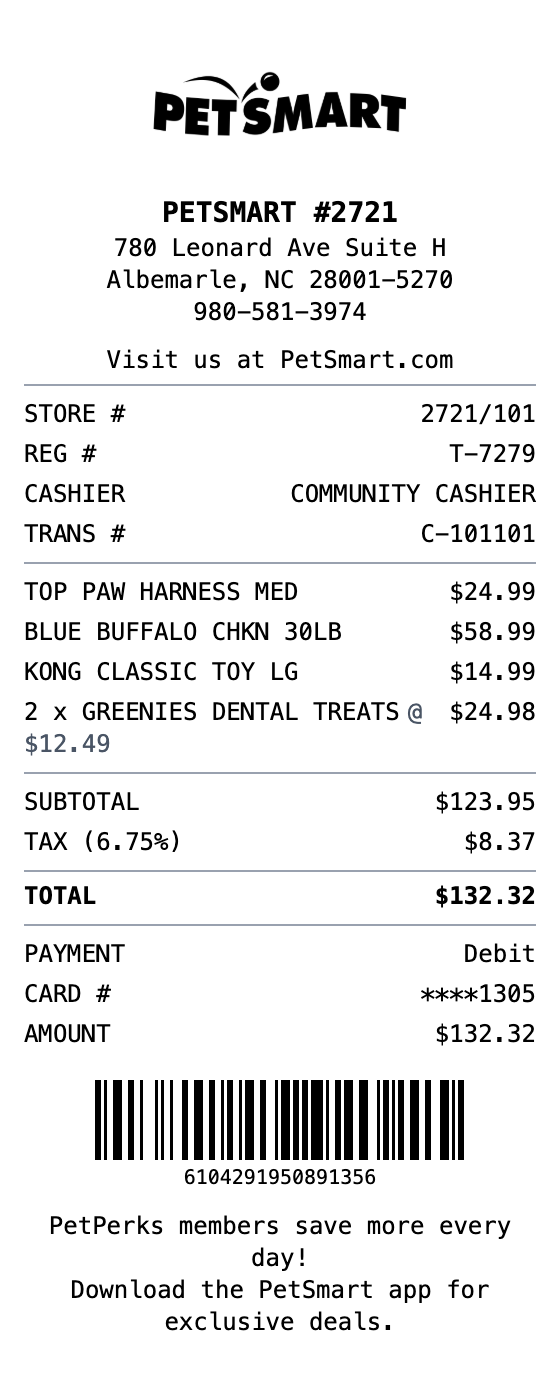
Make a PetSmart Receipt That Looks the Part
Fonts, spacing, and layout are modeled on the real thing, so your export holds up.
PetPerks Rewards
Show PetPerks member discounts and savings on qualifying items
Pet Supply Items
Pre-loaded with realistic pet food, toys, and accessories line items
Tax Breakdown
Separate taxable and non-taxable amounts with configurable tax rate
Store Details
Includes store number, register, cashier, and transaction info
Payment Methods
Support for debit, credit, and cash payment types with card details
Transaction Barcode
Auto-generated Code128 barcode for authentic receipt appearance
How to Make a PetSmart Receipt
The whole process takes about a minute
Step 1:
Start from this template
Step 2:
Make it yours
Step 3:
Save and download
Where a PetSmart Receipt Comes in Handy
Real situations where this template gets used
Expense Tracking
Keep organized records of pet supply purchases for budgeting
Pet Budgeting
Track monthly pet care spending across food, treats, and supplies
Design Mockups
Create realistic pet store receipt mockups for POS or app designs
Training Materials
Use sample receipts for retail training or POS system documentation
Common Questions, Answered
The details people usually ask about
Can I customize the PetSmart store location?
Yes. Edit the store name, address, phone number, and store number in the header section to match any PetSmart location.
How do I add PetPerks discounts?
Use the totals section to add a discount amount, or add a custom message section to show PetPerks savings on individual items.
Can I change the items to match my pet?
Absolutely. Click any item to edit the name, quantity, and price. Add items like food, treats, toys, grooming supplies, or aquarium products.
What export formats are available?
Export your PetSmart receipt as PNG, JPEG, or PDF. All formats maintain thermal receipt styling.
Is MakeMyReceipt free to use?
Yes. You can build and customize receipts for free with no sign-up required. Watermark-free exports and saved receipts are available with Pro.
What file formats can I export?
You can export your receipts as PNG (high-quality images), PDF (print-ready documents), or JPEG (compressed images for smaller file sizes).
Similar Receipt Templates

Convenience Store Receipt
Standard retail receipt with items, tax, and payment

Pharmacy Receipt
Pharmacy receipt with Rx info and insurance details
Auto Service Receipt
Auto shop receipt with services, parts, and labor

Restaurant Receipt
Restaurant receipt with items, tax, and tip line
Service Receipt
Service invoice with description, hours, and rate