
Cash App Receipt Generator
Customize Cash App-style payment receipts with $cashtags, transaction IDs, and transfer details. Perfect for P2P payment mockups.
Make Your Cash App Receipt
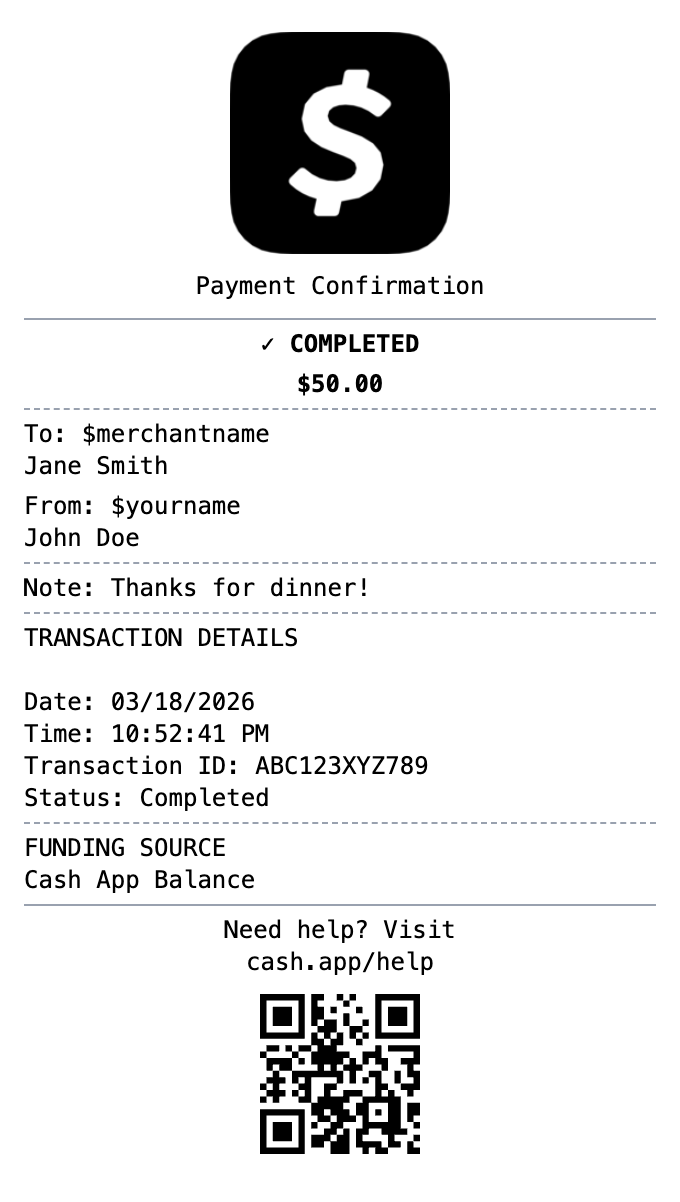
Zero to Cash App Receipt in 60 Seconds
Every detail is editable, from the header at the top down to the barcode.
$Cashtag Support
Include $cashtags for both sender and recipient in authentic Cash App format.
Transaction Status
Show completed, pending, or failed status indicators.
Payment Notes
Add personal notes that appear on the payment just like the real app.
Funding Source
Display whether payment came from Cash App balance, linked bank, or card.
Clean Mobile Format
Matches the simple, clean aesthetic of Cash App receipts.
Transaction ID
Include unique transaction identifiers for record keeping.
Create a Cash App Receipt in Three Steps
No account needed to start building
Step 1:
Choose your template
Step 2:
Customize your receipt
Step 3:
Download and use
Anatomy of a Cash App Receipt
Every field you'll find on the real thing, and why it's there.
- Amount
- The dollar figure, displayed large at the top of the receipt. It is the visual anchor of every Cash App confirmation.
- $Cashtag and name
- The other party's display name and unique $cashtag handle. The $cashtag is how payments are addressed on Cash App.
- Payment note
- The short "for" line the sender attached, such as "rent" or "lunch." On business accounts this often describes the goods or service.
- Date, time, and status
- When the payment happened and whether it is completed, pending, or refunded.
- Funding source
- Where the money came from: the Cash balance, a linked debit card, or a bank account.
- Transaction identifier
- The reference Cash App attaches to the payment, also reachable as a unique cash.app web receipt link. It is what support uses to look up a transfer.
What You Can Do
Create receipts for any purpose
Small Business Sales
Document customer payments received through Cash App
Proof of Payment
Keep a clear record of money sent for goods or services
Tax Records
Separate business income from personal transfers for filing
Personal Tracking
Track payments between friends and family
Refund Records
Document refunded payments with their status
Design Mockups
Create realistic payment app mockups for design projects
Frequently Asked Questions
Common questions about creating cash app receipts
What is on a Cash App receipt?
A Cash App confirmation shows the amount, the date and time, the recipient name and $cashtag, the payment note, the funding source, and a transaction reference. Our template lets you customize all of these fields.
Does Cash App give receipts?
Yes, every payment has an in-app receipt, and there is also a unique web receipt link for each transaction. Many people recreate a clean copy when they need a shareable or printable record.
Can I use a Cash App receipt for my business records?
Yes. If customers pay you through Cash App, keeping clear per-payment records helps with bookkeeping and tax reporting. Use the template to document real payments or build mockups, not to misrepresent payments that did not happen.
What exactly is a cash app receipt?
A Cash App receipt is the payment confirmation shown in the Cash App after sending or receiving money. It includes the amount, the date and time, the other person's display name and $cashtag, a note about what the payment was for, and an identifier Cash App uses to reference the transaction. Web receipts also live at a unique cash.app link.
Why would you recreate a cash app receipt?
Cash App payments between users are instant, so the in-app receipt is the primary record a transfer happened. People keep them as proof of payment for personal transfers and small-business sales, for reconciling income when customers pay by Cash App, and for tax records when payments relate to goods or services.
What information goes on a cash app receipt?
Amount sent or received • Date and time of the payment • Recipient display name and $cashtag • Payment note or description • Transaction identifier or web receipt link • Funding source (Cash balance, debit card, or linked bank) • Status (completed, pending, or refunded)
Getting the details right on your cash app receipt
Include a $cashtag, since that is how Cash App identifies people • Add a short payment note, because most real payments carry one • Show the funding source line for a complete record • Keep the layout minimal and green-accented, matching the clean Cash App style
Is MakeMyReceipt free to use?
Yes. You can build and customize receipts for free with no sign-up required. Watermark-free exports and saved receipts are available with Pro.
What file formats can I export?
You can export your receipts as PNG (high-quality images), PDF (print-ready documents), or JPEG (compressed images for smaller file sizes).
More Templates Like This One

Venmo Receipt
Social payment receipt with @usernames, payment notes, and transaction details.

Zelle Receipt
Bank transfer receipt with confirmation number, recipient details, and instant transfer status.
PayPal Receipt
Digital payment receipt with transaction ID, sender/receiver info, and payment confirmation details.
Money Transfer Receipt
Wire transfer or money transfer receipt
Cash Receipt
Simple cash payment receipt