
Auto Service Receipt Generator
Create professional-looking auto service receipts with services, parts, labor costs, and vehicle info—or whatever else your auto shop needs. Perfect for mechanics, auto repair businesses, or other automotive businesses.
Start Your Auto Service Receipt
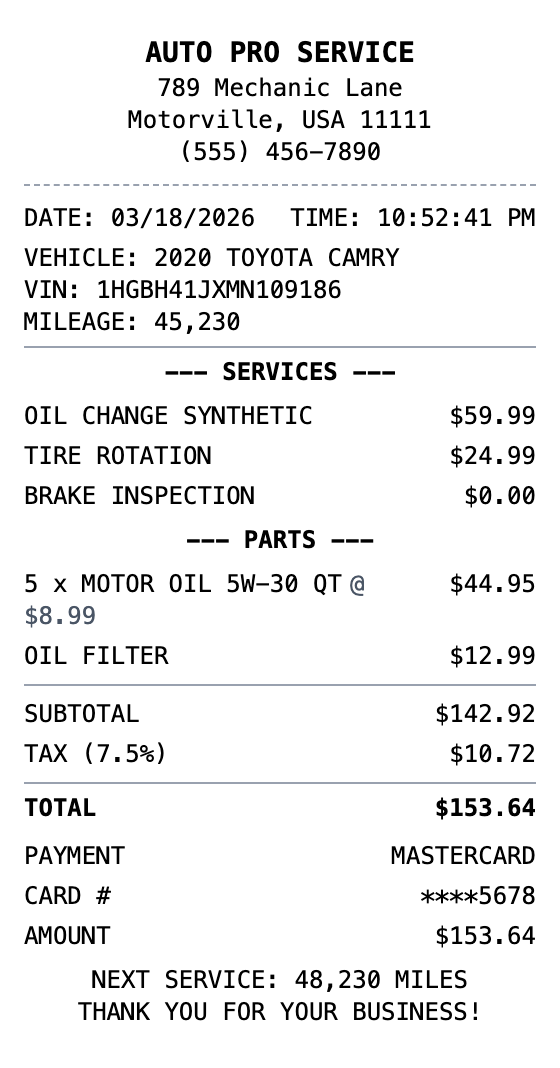
Make a Auto Service Receipt That Looks the Part
Every detail is editable, from the header at the top down to the barcode.
Drag & Drop Builder
Structure your auto service receipt with parts, labor, and shop fees arranged exactly how your garage formats them.
Real-time Preview
See your service invoice take shape as you add repairs, oil changes, tire rotations, and labor charges.
Multiple Export Formats
Export as PDF for customer records, PNG for quick texts, or JPEG for email estimates.
Custom Styling
Add your shop name, mechanic details, and vehicle info to create authentic-looking service receipts.
Barcode & QR Support
Include work order barcodes or QR codes linking to service history and appointment scheduling.
Paper Styles
Go with thermal for that service desk feel or white paper for professional customer copies.
How to Generate Your Auto Service Receipt
Three simple steps to generate professional receipts
Step 1:
Open the template
Step 2:
Edit every field
Step 3:
Download your file
When You Might Need One
From bookkeeping to mockups, it covers a lot of ground
Expense Reports
Document business expenses for company reimbursement
Tax Documentation
Keep organized records for tax filing and deductions
Client Invoicing
Create professional receipts for client billing
Proof of Purchase
Generate records for warranties and returns
Budget Tracking
Monitor spending with organized receipt records
Reimbursements
Submit clear expense documentation for refunds
Questions People Ask
Quick answers about this template
Is MakeMyReceipt free to use?
Yes. You can build and customize receipts for free with no sign-up required. Watermark-free exports and saved receipts are available with Pro.
What file formats can I export?
You can export your receipts as PNG (high-quality images), PDF (print-ready documents), or JPEG (compressed images for smaller file sizes).
You Might Also Need
Oil Change Receipt
Oil change service receipt with vehicle info

Mechanic Receipt
Auto mechanic shop repair receipt

Valvoline Receipt
Oil change service receipt with vehicle and service details

Gas Station Receipt
Fuel purchase receipt with pump details
Car Wash Receipt
Car wash service receipt