
How to Create an Itemized Receipt (Free Template + Guide)
Learn how to create an itemized receipt with line items, tax breakdown, and totals. Free template included. Essential for expense reports and taxes.
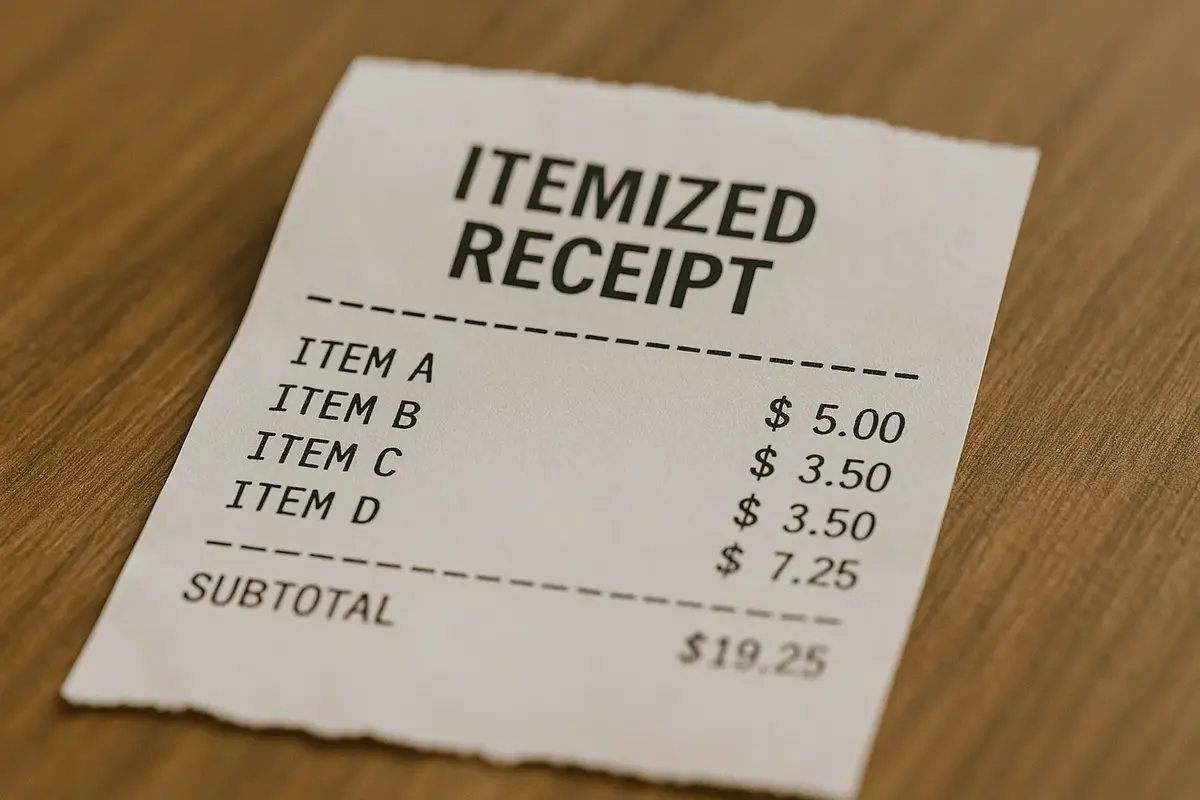
An itemized receipt does more than confirm a purchase happened. It breaks down exactly what was bought, how much each item cost, and where every dollar went. For business owners, freelancers, and anyone who tracks expenses, knowing how to create an itemized receipt for expense reports and taxes is essential.
Here's the thing: many expense reports get rejected because receipts lack proper itemization. The IRS requires itemized receipts for business meal deductions. Insurance companies need them for claims. And your accounting software won't reconcile properly without detailed line items.
This guide covers everything you need to know about itemized receipts, including what they must include, when you need them, and the fastest ways to create them. By the end, you'll be able to generate professional itemized receipts in minutes. (If you just need the basics of receipt-writing first, start with our guide on how to make a receipt.)
What is an Itemized Receipt?
An itemized receipt is a document that lists each individual product or service in a transaction, along with its quantity, unit price, and line total. Unlike a simple receipt that shows only a total amount paid, an itemized receipt provides a complete breakdown of every charge.
Think of it this way: a regular receipt might show "Total: $127.50." An itemized receipt shows exactly how you got to that number. Three entrees at $24 each, two appetizers at $15.50 each, tax at $8.50, and gratuity included.
The level of detail matters because itemization serves multiple purposes:
- Verification: Customers can confirm they were charged correctly
- Expense tracking: Line items show exactly what money was spent on
- Tax compliance: The IRS requires itemized records for business deductions
- Dispute resolution: Detailed records help resolve billing disagreements
- Reimbursement: Employers need to see what expenses cover
Without itemization, a receipt is essentially just proof that money changed hands. With itemization, it becomes a complete record of the transaction. Not sure if you need a receipt or an invoice? Check out our guide on receipt vs invoice to understand when to use each.
Itemized Receipt vs Regular Receipt
Understanding the difference between an itemized receipt and a regular receipt helps you know which one you need for different situations.
Regular Receipt
A basic receipt typically includes:
- Business name and contact info
- Date of transaction
- Total amount paid
- Payment method
Regular receipts work fine for personal purchases and simple transactions. If you buy a coffee for yourself, a basic receipt showing $4.50 paid at Starbucks does the job.
Itemized Receipt
An itemized receipt includes everything above, plus:
- Individual line items with descriptions
- Quantity for each item
- Unit price for each item
- Line totals for each item
- Subtotal before tax
- Tax amount (often with rate shown)
- Any discounts applied
- Grand total
Itemized receipts are required when you need to document specifically what was purchased, not just how much was spent.
Quick Comparison
| Feature | Regular Receipt | Itemized Receipt |
|---|---|---|
| Shows total amount | Yes | Yes |
| Lists individual items | No | Yes |
| Shows quantities | No | Yes |
| Breaks down tax | No | Yes |
| Required for IRS $75+ meals | No | Yes |
| Suitable for expense reports | Limited | Yes |
| Supports reimbursement claims | Limited | Yes |
| Creation time | 30 seconds | 2-3 minutes |
When You Need Itemization
You need an itemized receipt for:
- Business meals over $75 (IRS requirement for expense deductions)
- Expense reports (most companies require itemization)
- Insurance claims (particularly medical and property claims)
- Tax deductions (home office supplies, business equipment)
- Reimbursement requests (employers want to see what they're paying for)
- Dispute resolution (credit card chargebacks, vendor disagreements)
- IFTA fuel tax compliance (truckers need specific fuel receipt elements for quarterly filings)
If there's any chance you'll need to justify or document the expense later, get an itemized receipt.
What an Itemized Receipt Must Include
Creating a proper itemized receipt means including all the essential elements. Miss one, and your receipt might get rejected for expense reports or tax purposes.
Business Information
Start with clear identification of who issued the receipt:
- Business name (legal name, not just a logo)
- Street address
- Phone number or contact method
- Tax ID or business registration number (if applicable)
This information establishes legitimacy and allows verification if questions come up later.
Transaction Details
Every itemized receipt needs clear transaction identifiers:
- Date of transaction
- Time of transaction
- Receipt or transaction number
- Cashier or server name (optional but helpful)
- Register or terminal ID (for retail)
Line Items (The Core of Itemization)
This section makes a receipt "itemized." Each product or service gets its own line:
- Description: Clear name or description of what was purchased
- Quantity: Number of units purchased
- Unit price: Cost per individual item
- Line total: Quantity multiplied by unit price
For example:
Grilled Salmon Entree 2 x $28.00 $56.00
Caesar Salad 1 x $12.00 $12.00
Sparkling Water 3 x $4.00 $12.00
Descriptions should be specific enough to identify what was purchased. "Food" doesn't work. "Grilled Salmon Entree" does.
Financial Summary
After line items, include the financial breakdown:
- Subtotal: Sum of all line items before tax
- Tax: Tax amount with rate percentage
- Discounts: Any promotions or discounts applied
- Gratuity: Tip amount (for service industries)
- Grand total: Final amount paid
Payment Information
Document how the transaction was settled:
- Payment method (cash, credit card, check)
- Last four digits of card (for card payments)
- Change given (for cash payments)
- Authorization code (for card payments, optional)
Optional but Recommended Elements
These aren't required but add professionalism:
- Barcode or QR code for digital record lookup
- Return policy information
- Thank you message
- Loyalty program points earned
When Itemized Receipts Are Required for Taxes and Expense Reports
Certain situations legally or practically require itemized receipts. Knowing these requirements saves headaches down the road.
IRS Requirements for Business Meals
The IRS is specific about business meal documentation. According to IRS Publication 463, you need records that show (and meals fall under specific business expense categories on your Schedule C):
- Amount of expense
- Date and place
- Business purpose
- Business relationship of attendees
For meals over $75, the IRS expects an itemized receipt for taxes that shows what was consumed. A credit card statement showing "Restaurant $150" doesn't cut it. You need the actual itemized receipt showing what food and beverages were ordered. For more details, check out our complete guide to IRS receipt requirements.
The itemization requirement extends to all business entertainment expenses where you're claiming a deduction. This matters at scale — IRS data shows sole proprietors claimed $580 billion in deductions, and improper documentation is a top audit trigger.
Corporate Expense Report Requirements
Most companies require itemized receipts for expense reports over $25-75 (threshold varies by company). Learning how to create an itemized receipt for expense report submissions helps ensure faster reimbursement. Finance departments need to verify that expenses are legitimate business costs.
An expense report that says "dinner with client, $200" needs backup. The itemized receipt for expense report documentation proves it was a business meal, not personal shopping charged to the company card.
According to SBA guidelines on business recordkeeping, proper documentation is essential for small business success. Studies show 74% of freelancers encounter payment issues at some point. Itemized receipts help prevent disputes by documenting exactly what was purchased and why.
Insurance Claims
Insurance companies require itemized documentation for claims:
- Medical insurance: Itemized bills showing procedures, medications, and costs
- Property insurance: Itemized lists of damaged or stolen items with values
- Auto insurance: Itemized repair estimates and invoices
Without itemization, claims get delayed or denied. Insurance adjusters need to verify that charges are reasonable and covered under your policy.
Tax Deduction Documentation
If you're deducting business expenses on your taxes, itemized receipts support your claims. With average per-trip business travel costs exceeding $1,100, itemized receipts for travel are essential for maximizing deductions.
- Home office supplies and equipment
- Business travel expenses
- Professional development and training
- Tools and materials for your trade
- Vehicle expenses (gas, maintenance, parking)
The IRS can audit deductions for up to three years. According to IRS recordkeeping requirements, having itemized receipts stored and organized protects you if questions arise.
How to Create an Itemized Receipt (3 Methods)
You have several options for creating itemized receipts, ranging from free online tools to manual methods. Here's how each approach works.
Method 1: Use a Receipt Generator
The fastest way to make itemized receipt documents is with an online receipt generator like MakeMyReceipt. This method shows you how to create an itemized receipt in minutes and produces receipts that look like they came from a real point-of-sale (POS) system.
Step 1: Choose your template
Start with the Itemized Receipt template or pick a category-specific template like Restaurant Receipt or Service Receipt. Each template comes pre-configured with the right sections for that type of business.
Step 2: Add your business information
Fill in the header with your business name, address, and contact information. You can also upload a logo if you have one. The live preview shows exactly how your receipt will look as you make changes.
Step 3: Enter your line items
Add each product or service as a separate line item. Enter the description, quantity, and unit price. MakeMyReceipt automatically calculates line totals, subtotals, and grand totals. No manual math required.
Step 4: Set your tax rate
Enter your local tax rate (for example, 8.25%), and the system calculates the tax amount automatically. You can also add discounts if applicable.
Step 5: Add payment details
Select the payment method and add any relevant details like card type or cash tendered.
Step 6: Download your receipt
When you're satisfied with the preview, download your receipt as PNG, PDF, or JPEG. The thermal paper styling gives it an authentic look that matches real POS receipts.
Why this method works best:
- Takes 2-3 minutes start to finish
- Auto-calculates all totals
- Professional thermal paper appearance
- Multiple export formats
- Free to use, no account required
Method 2: Use a Template (Word/Excel)
If you prefer working in familiar software, you can create an itemized receipt using an itemized receipt template in Word or Excel.
For Microsoft Word:
- Search for "receipt template" in Word's template gallery
- Choose a template with itemization capability
- Replace placeholder text with your information
- Manually enter each line item
- Calculate totals manually or use formulas if available
- Save as PDF for sharing
For Microsoft Excel:
- Create columns for: Description, Quantity, Unit Price, Line Total
- Enter your line items
- Use SUM formulas for subtotal
- Add tax calculation formula
- Calculate grand total
- Format for printing or PDF export
Pros of template method:
- Uses software you already have
- Full control over formatting
- Can save custom templates for reuse
Cons of template method:
- More time-consuming (10-15 minutes per receipt)
- Manual calculations prone to errors
- Doesn't look like authentic POS receipts
- Need software installed on your device
Method 3: Manual Creation
For occasional use, you can write itemized receipts by hand using receipt books or blank paper.
When manual makes sense:
- One-off transactions in the field
- No internet or device access
- Very simple transactions with few items
What to include:
Write clearly and include all essential elements: business name, date, itemized list with quantities and prices, subtotal, tax, total, and payment method. Number your receipts sequentially for record keeping.
Limitations of manual receipts:
- Time-consuming for multiple items
- Calculation errors are common
- Handwriting can be hard to read
- Difficult to create copies
- Doesn't look professional
For anything beyond occasional simple transactions, digital methods are more practical.
Itemized Receipt Examples by Industry
Different industries have specific requirements for itemized receipts. Here are examples of what proper itemization looks like across common business types.
Restaurant Itemized Receipt Example
Restaurant receipts should itemize each food and beverage item separately:
DOWNTOWN BISTRO
123 Main Street, City, ST 12345
(555) 123-4567

Date: 12/13/2025 Time: 7:45 PM
Server: Maria Table: 12

ITEMIZED ORDER:
Grilled Salmon 1 x $32.00 $32.00
NY Strip Steak 1 x $45.00 $45.00
Caesar Salad 2 x $14.00 $28.00
House Red Wine 2 x $12.00 $24.00
Sparkling Water 1 x $5.00 $5.00
Chocolate Cake 1 x $10.00 $10.00

Subtotal: $144.00
Tax (8.25%): $11.88
Total: $155.88

Payment: Visa ****4521
Tip: ___________
Total with Tip: ___________

Thank you for dining with us!
Retail Itemized Receipt Example
Retail receipts itemize each product with SKU or product codes when available:
OFFICE SUPPLY MART
456 Commerce Ave, City, ST 12345

Date: 12/13/2025 Time: 2:30 PM
Transaction #: 78542

ITEMS PURCHASED:
Printer Paper (500 sheets) 2 x $8.99 $17.98
Black Ink Cartridge 1 x $24.99 $24.99
Ballpoint Pens (12-pack) 3 x $6.49 $19.47
Manila Folders (50-pack) 1 x $12.99 $12.99
Sticky Notes (12-pack) 2 x $7.99 $15.98

Subtotal: $91.41
Sales Tax (7%): $6.40
Total: $97.81

Payment: Cash
Tendered: $100.00
Change: $2.19

Returns accepted within 30 days with receipt.
Service Business Itemized Receipt Example
Service receipts itemize labor hours, materials, and any additional charges:
PREMIER AUTO SERVICE
789 Mechanic Lane, City, ST 12345
(555) 987-6543

Date: 12/13/2025
Invoice #: AS-2025-1234
Customer: John Smith
Vehicle: 2021 Honda Accord

SERVICES PERFORMED:
Oil Change (Synthetic) 1 $65.00
Tire Rotation 1 $25.00
Brake Inspection 1 $40.00
Air Filter Replacement 1 $35.00

PARTS:
Synthetic Oil (5 qt) 1 x $42.00 $42.00
Oil Filter 1 x $12.00 $12.00
Air Filter 1 x $28.00 $28.00

Labor (2.5 hours @ $85/hr): $212.50
Parts Total: $82.00

Subtotal: $294.50
Tax on Parts (6%): $4.92
Total: $299.42

Payment: Mastercard ****8821
Contractor Itemized Receipt Example
Contractor receipts break down materials, labor, and project phases:
ELITE HOME RENOVATIONS
Licensed & Insured
(555) 456-7890

Invoice Date: 12/13/2025
Project: Kitchen Backsplash Installation
Client: Sarah Johnson

MATERIALS:
Subway Tile (50 sq ft) 1 x $275.00 $275.00
Grout (2 bags) 2 x $18.00 $36.00
Tile Adhesive 1 x $45.00 $45.00
Trim Pieces 8 x $6.50 $52.00

LABOR:
Surface Preparation 2 hrs $90.00
Tile Installation 4 hrs $180.00
Grouting & Finishing 2 hrs $90.00

Materials Subtotal: $408.00
Labor Subtotal: $360.00
Total: $768.00

Payment received: Check #4521
Balance due: $0.00

Thank you for your business!
Common Itemized Receipt Mistakes to Avoid
Even well-intentioned receipts can fail to meet requirements. Watch out for these common errors:
Missing Item Descriptions
"Item 1: $25.00" doesn't tell anyone what was purchased. Use clear, specific descriptions that identify the product or service. "Wireless Bluetooth Headphones" beats "Electronics."
No Tax Breakdown
Showing only the grand total without separating tax causes problems for expense reports and tax documentation. Always show subtotal, tax amount (with rate), and total as separate lines.
Forgetting Payment Method
How was the transaction paid? Cash, credit card, check, or other? This matters for accounting reconciliation and dispute resolution. Include the payment method on every receipt.
Illegible or Incomplete Information
Whether printed or handwritten, all information must be clearly readable. Faded thermal paper, smudged ink, or illegible handwriting makes receipts useless for documentation purposes.
Wrong or Missing Dates
Every receipt needs an accurate date. This matters for expense timing, tax year calculations, and return policies. Double-check dates before finalizing.
Missing Business Identification
Anonymous receipts can't be verified. Include full business name, address, and contact information so the receipt can be traced back to its source if needed.
Calculation Errors
Manual math leads to mistakes. Subtotals that don't add up, wrong tax calculations, and incorrect grand totals undermine receipt credibility. Use tools that calculate automatically whenever possible.
How to Store and Organize Itemized Receipts
Creating receipts is only half the job. You also need to store them properly for future reference.
Digital Storage Best Practices
- Download receipts in PDF format for archiving
- Create folders organized by month, category, or client
- Use cloud storage (Google Drive, Dropbox) for backup
- Keep a consistent naming convention (for example, "2025-12-13_ClientName_Expense.pdf")
How Long to Keep Receipts
- General business expenses: 3 years minimum
- Tax-related receipts: 7 years recommended
- Major purchases/assets: Life of the asset plus 3 years
- Real estate transactions: Permanently
For a complete timeline by receipt type, see our how long to keep receipts guide.
Lost a receipt you need? Don't panic — check out our guide on what to do when you lose a receipt for IRS rules and solutions.
For Expense Reports
- Submit itemized receipts promptly after purchases
- Keep copies of everything submitted
- Note the expense report reference number on your copy
- Follow up if reimbursement is delayed
Frequently Asked Questions
What is the difference between an itemized receipt and a regular receipt?
An itemized receipt lists each individual product or service with quantity, unit price, and line total, while a regular receipt only shows the total amount paid. Itemized receipts are required for expense reports, tax deductions, and business meal documentation over $75.
Do I need an itemized receipt for all business expenses?
Not all, but the IRS requires itemized receipts for business meals over $75, and most companies require them for expense reports over $25-75. Always get an itemized receipt for expenses you plan to deduct or get reimbursed for.
How long should I keep itemized receipts?
Keep general business expense receipts for at least 3 years, tax-related receipts for 7 years, and receipts for major purchases for the life of the asset plus 3 years. Real estate transaction receipts should be kept permanently.
Can I create an itemized receipt myself?
Yes. You can make itemized receipt documents using online receipt and bill generators (fastest method, 2-3 minutes), Word/Excel templates (10-15 minutes), or by hand for simple one-off transactions. Receipt makers like MakeMyReceipt automatically calculate totals and create professional-looking receipts.
When are itemized receipts legally required?
Itemized receipts are legally required by the IRS for business meal deductions over $75, for insurance claims (medical, property, auto), and for supporting tax deductions on business expenses. Many companies also require an itemized receipt for expense report reimbursement over $25-75.
Conclusion
Knowing how to create an itemized receipt correctly protects both businesses and customers. Whether you need an itemized receipt for taxes, expense reports, or client documentation, every element matters, from clear line item descriptions to accurate tax calculations and proper business identification.
Here's what to remember:
- Always itemize when the receipt will be used for expense reports, tax deductions, or reimbursements
- Include all required elements: business info, date, line items with quantities and prices, tax breakdown, total, and payment method
- Use the right tool for efficiency. Receipt generators like MakeMyReceipt create professional itemized receipts in minutes
- Store receipts properly with organized digital backups
- Avoid common mistakes like missing descriptions, calculation errors, and incomplete information
Ready to create your first itemized receipt? Try the Itemized Receipt template at MakeMyReceipt. Pick your template, add your details, and download a professional receipt in minutes. No account required, and it's free to use.
For specific use cases, check out the Expense Receipt template for business expenses, or see our guide on how to create a receipt for cash transactions if you accept cash payments. Browse the full template library for 50+ options covering every industry.
Ready to create your receipt?
Try our free receipt maker with customizable templates.
Open Receipt Builder