
Lost a Receipt? Here's What to Do (IRS Rules + Solutions)
Lost an important receipt? Learn IRS rules for missing documentation, alternative proof, and how to recreate receipts for your records. Solutions inside.
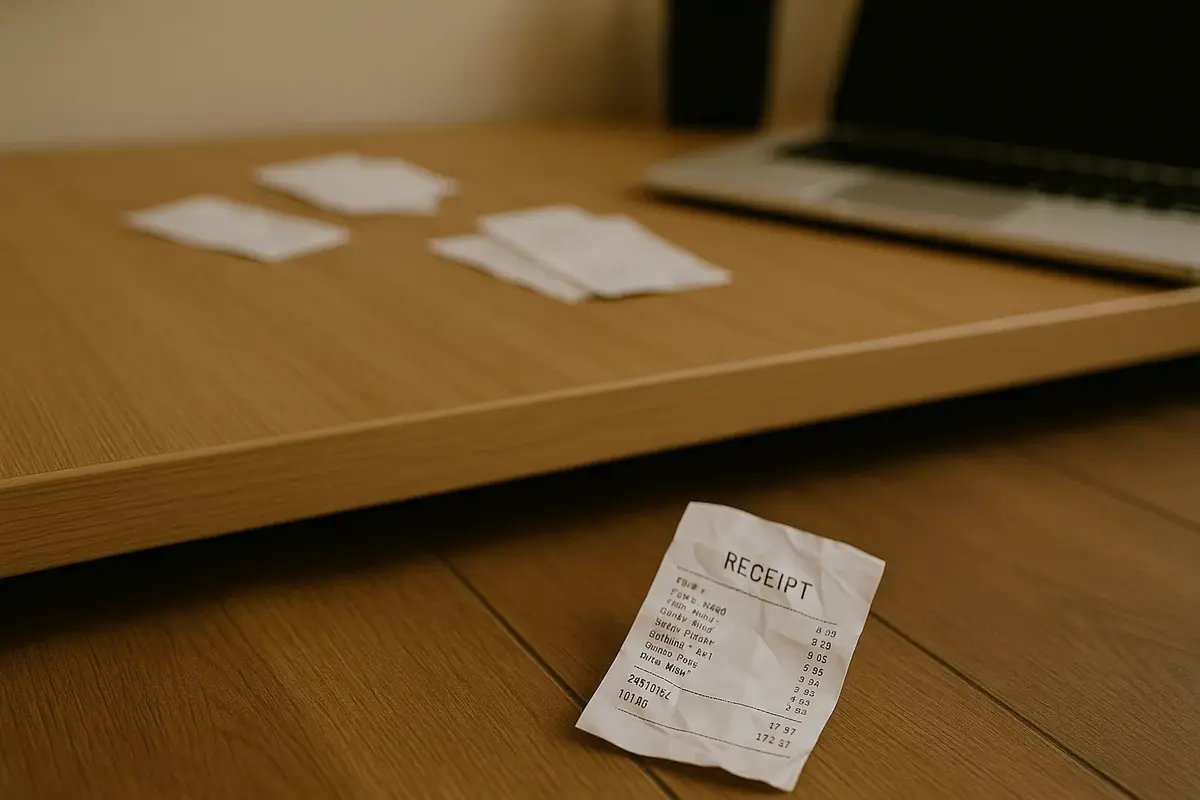
You're sorting through your expense folder, and your stomach drops. That receipt from your business dinner last month? Gone. The hotel receipt you needed for reimbursement? Vanished into thin air. If you've ever lost a receipt you needed for taxes, an expense report, or your own records, you know the panic that follows.
Here's the good news: losing a receipt doesn't mean losing that deduction or failing to get reimbursed. You have options, and some of them might surprise you.
This guide walks you through everything you need to know about dealing with lost receipts, from IRS rules that work in your favor to practical steps for getting your documentation back on track.
The IRS $75 rule: When you don't need a receipt
Before you spiral into worst-case scenarios, check whether you actually need that lost receipt in the first place. The IRS has a rule that many business owners don't know about.
According to IRS Publication 463, you don't need a receipt for business expenses under $75. For a complete breakdown of what the IRS requires, see our guide on IRS receipt requirements, and learn how the IRS categorizes different expenses in our business expense categories guide. This threshold, originally set at $25 back in 1962, was raised to $75 in 1995 to account for inflation.
What the $75 rule covers
The $75 threshold applies to most business expenses, including:
- Meals during business travel
- Taxi fares and rideshare costs
- Parking fees and tolls
- Public transportation
- Small office supplies
- Minor business purchases
What the $75 rule does not cover
Important caveat: lodging expenses always require receipts, regardless of amount. Stayed at a $50 motel? You still need that receipt. The IRS makes no exceptions for hotels and other lodging.
Other exceptions include:
- Transportation expenses that are part of a larger travel claim
- Entertainment expenses (though these have limited deductibility anyway)
- Gifts to clients or customers
You still need some documentation
Even without a physical receipt, you need to document the expense. The IRS requires you to record:
- The amount spent
- The date of the expense
- The place or vendor
- The business purpose
A credit card statement showing the transaction, combined with a written note about the business purpose, typically satisfies this requirement for expenses under $75.
Alternative documentation the IRS accepts
Lost a receipt for an expense over $75? You're not out of options. The IRS accepts several forms of alternative documentation.
Bank and credit card statements
Your bank and credit card statements show the vendor, date, and amount of each transaction. While they don't show what you purchased, they prove the transaction happened and establish the basics.
For this to work effectively:
- The statement should clearly show the vendor name
- The transaction amount should match your claimed expense
- You should have additional notes about the business purpose
Canceled checks
If you paid by check, the canceled check serves as proof of payment. Most banks provide images of canceled checks through online banking.
Email confirmations and digital receipts
Online purchases typically generate email confirmations. These often contain:
- Itemized purchase details
- Transaction dates
- Payment amounts
- Order numbers for verification
Check your email archive before assuming a receipt is completely lost.
Vendor invoices and statements
If you have an ongoing relationship with a vendor, their invoices or account statements may document your purchases. This works particularly well for regular business expenses like software subscriptions or supplier orders.
Written logs and calendars
Business logs and calendars can support expense claims, especially for mileage and travel. If you consistently recorded meetings, appointments, and business trips, that documentation adds credibility to your expense claims.
Photographs
Did you snap a photo of a receipt before losing the paper copy? Check your phone's camera roll. Even a partial image may be enough to substantiate your expense.
The Cohan rule: Claiming deductions without receipts
When all else fails, there's a legal precedent that may help you claim deductions even without receipts. It's called the Cohan Rule, and it's been protecting taxpayers since 1930.
What is the Cohan rule?
In 1930, the Court of Appeals for the Second Circuit ruled in favor of George M. Cohan (yes, the famous entertainer) in a tax dispute. The court established that taxpayers can claim business expenses without receipts as long as the expenses are "reasonable and credible."
How the Cohan rule works
The Cohan Rule allows you to estimate expenses when you lack documentation, provided:
- You can prove the expense occurred
- Your estimate is reasonable
- You have some evidence supporting your claim
For example, if you regularly took clients to lunch but lost all your restaurant receipts, you could potentially claim a reasonable estimate based on typical meal costs in your area.
Limitations of the Cohan rule
The Cohan Rule isn't a free pass to claim whatever you want. Important limitations include:
The IRS sets the floor, not you. If you claim $500 but can only prove a $200 expense is reasonable, the IRS will only allow $200.
Some expenses are excluded. Travel, entertainment, and charitable contributions have stricter documentation requirements that the Cohan Rule doesn't override.
You may face penalties. Relying on estimates increases your audit risk and potential penalties if the IRS disagrees with your estimates.
Records must exist somewhere. The Cohan Rule works best when you have partial documentation, not when you have nothing at all.
How to request duplicate receipts from vendors
Sometimes the simplest solution is getting another copy of the original receipt. Many vendors keep transaction records and can provide duplicates. (If you're the business on the receiving end of one of these requests, our guide on how to make a receipt covers what a proper duplicate should include.)
Step 1: Gather your information
Before contacting the vendor, collect:
- Approximate date of purchase
- Payment method used (and last four digits of card if applicable)
- Approximate amount
- What you purchased (if you remember)
The more details you provide, the easier it is for the vendor to locate your transaction.
Step 2: Contact the vendor directly
Start with the location where you made the purchase:
- Retail stores: Visit customer service or call the store
- Restaurants: Contact the manager
- Hotels: Email or call the front desk
- Online purchases: Check your account history or contact customer support
Most businesses keep transaction records for at least a year, often longer.
Step 3: Request the duplicate
Ask specifically for:
- A duplicate receipt
- A transaction record
- A statement of purchase
Many retailers can reprint receipts if you provide payment card details. Some can look up transactions by the exact amount and date. (On future receipts, the number the store uses for this lookup is the transaction code near the barcode; our guide on how to read a receipt shows where to find it.)
Step 4: Document the process
Keep notes on when you requested the duplicate and any reference numbers provided. If there's a delay, you'll have a record showing you made good-faith efforts to obtain documentation.
Timeline expectations
Response times vary:
- Large retailers: Often immediate if you have card details
- Small businesses: May take a few days to search records
- Hotels and airlines: Usually within 24 to 48 hours
- Online services: Typically available immediately in your account
Recreating receipts for personal records
Sometimes you need a receipt for your own record-keeping, not for the IRS. Maybe you want organized expense tracking, a personal archive of business transactions, or documentation for your own budgeting purposes.
When recreating receipts is appropriate
Creating a receipt for your personal records makes sense when:
- You need to track expenses for your own budget
- You're organizing records for a small business without formal POS systems
- You're creating documentation for personal projects or training materials
- You're replacing lost receipts for your own filing system
What recreated receipts should include
Any receipt you create for personal records should accurately reflect the actual transaction:
- Correct vendor name and location
- Accurate date and time
- Actual items purchased
- Real prices and totals
- Actual payment method used
Accuracy matters even for personal records. Your documentation should match your bank and credit card statements.
Using MakeMyReceipt for personal record-keeping
MakeMyReceipt provides 100+ professional receipt templates for creating organized expense documentation. For personal or small business record-keeping purposes, you can:
- Choose a template matching your expense type (expense receipt, sales receipt, itemized receipt) — and if you need help creating one, check out our guide on how to create an itemized receipt
- Enter accurate transaction details
- Download as PDF for your records
- Store digitally for easy retrieval
This approach works well for freelancers, small business owners, and anyone who wants clean, organized expense records.
Important note on legitimate use
Receipts should always reflect actual transactions. Creating false documentation for tax purposes, insurance claims, or reimbursement is fraud. Use receipt generators only for legitimate record-keeping and accurate documentation of real transactions. If you're unsure whether you need a receipt or invoice for a transaction, check out our guide on receipt vs invoice differences.
How to never lose a receipt again
The best solution for lost receipts? Not losing them in the first place. Here's how to build a system that keeps your receipts organized and accessible.
Go digital immediately
Paper receipts fade, tear, and disappear. 93 billion paper receipts are printed annually in the U.S., many on thermal paper that fades within months. Digital receipts last forever.
Scan or photograph immediately: Snap a picture of every receipt the moment you get it. Most phones now have built-in document scanning that creates clean, searchable images.
Request digital receipts: When given the option, always choose email receipts. They're automatically dated, searchable, and backed up.
Use a dedicated email folder: Create a folder specifically for receipts. Set up filters to automatically sort receipt emails.
Establish a routine
Weekly processing: Set aside 15 minutes each week to process receipts. Photograph paper receipts, file digital ones, and add notes about business purposes.
Monthly reconciliation: Compare your receipts against bank and credit card statements monthly. Catch missing receipts before you forget the details.
Quarterly cleanup: Review your receipt archive quarterly. Delete duplicates, organize by category, and back up everything.
Organize by category
Create a simple folder structure:
- Travel (hotels, flights, transportation)
- Meals (business meals, client dinners)
- Office (supplies, equipment, software)
- Professional (services, subscriptions, memberships)
- Vehicle (gas, maintenance, parking)
Use cloud storage
Store digital receipts in cloud storage (Google Drive, Dropbox, iCloud). Benefits include:
- Access from any device
- Automatic backup
- Searchable file names
- Shareable with accountants
Create receipts for cash transactions
Cash transactions don't leave automatic records. When you pay cash:
- Request a receipt (always)
- Photograph it immediately
- Note the business purpose on the photo or in a log
For businesses that regularly handle cash, consider using a receipt generator to create consistent documentation for every transaction. See our complete guide on how to create a receipt for cash transactions for what to include and IRS requirements.
Consider receipt management apps
Several apps specialize in receipt management:
- Automatic scanning and categorization
- Integration with accounting software
- OCR (optical character recognition) for searchable receipts
- Cloud backup and synchronization
The best system is one you'll actually use. Start simple and add complexity only if needed.
What happens if you get audited without receipts
Our small business tax deduction statistics show the IRS closed over 505,000 audits in FY 2024, recommending $29 billion in additional tax. If the IRS does audit you and you lack receipts, here's what to expect:
The auditor will request documentation
You'll receive a letter specifying which deductions the IRS wants to verify. Gather whatever alternative documentation you have.
You can negotiate
IRS auditors aren't out to destroy you. If you can demonstrate that expenses occurred (through credit card statements, bank records, or calendars), many will work with you to reach a reasonable conclusion.
Partial documentation helps
Even incomplete records are better than nothing. A credit card statement showing you paid $200 at a business supply store, combined with your testimony about what you purchased, may be enough.
Worst case: Disallowed deductions
If the IRS disallows a deduction, they'll add it back to your taxable income. You'll owe additional tax on that amount, plus interest and potentially penalties.
The penalty for underpayment is typically 20% of the additional tax owed. Interest accrues from the original due date.
Key takeaways
Losing a receipt isn't the end of the world. Here's what to remember:
- Expenses under $75 don't require receipts (except lodging)
- Alternative documentation like bank statements and emails often works
- The Cohan Rule may allow you to estimate reasonable expenses
- Vendors can provide duplicates if you ask
- Digital systems prevent future losses and keep you organized
- Accurate record-keeping protects you in case of audit
Not sure which receipts to save going forward? See our how long to keep receipts guide for retention timelines by category.
For truckers and commercial carriers, losing fuel receipts has additional consequences under IFTA regulations. Missing documentation can reduce your calculated MPG to 4.0, significantly increasing your tax liability. See our IFTA fuel receipt requirements guide for specific rules on retention and what to do when IFTA documentation goes missing.
The best time to set up a receipt management system was when you started your business. The second-best time is today.
Start organizing your receipts today
Don't wait until tax season panic sets in. Take 15 minutes right now to:
- Create a digital folder for your receipts
- Photograph any paper receipts sitting in your wallet or desk
- Check your email for digital receipts from recent purchases
- Set a weekly reminder to process new receipts
Need to create professional receipts for your business transactions? Browse MakeMyReceipt's template library to find the right format for your needs! Pick a template, customize your details, and download in PNG, PDF, or JPEG.
Your future self (and your accountant) will thank you.
Ready to create your receipt?
Try our free receipt maker with customizable templates.
Open Receipt Builder