
ATM Receipt Generator
Generate a realistic ATM receipt with account balance, transaction amount, surcharge fees, and terminal ID. Perfect for banking mockups and design projects.
Generate Your ATM Receipt
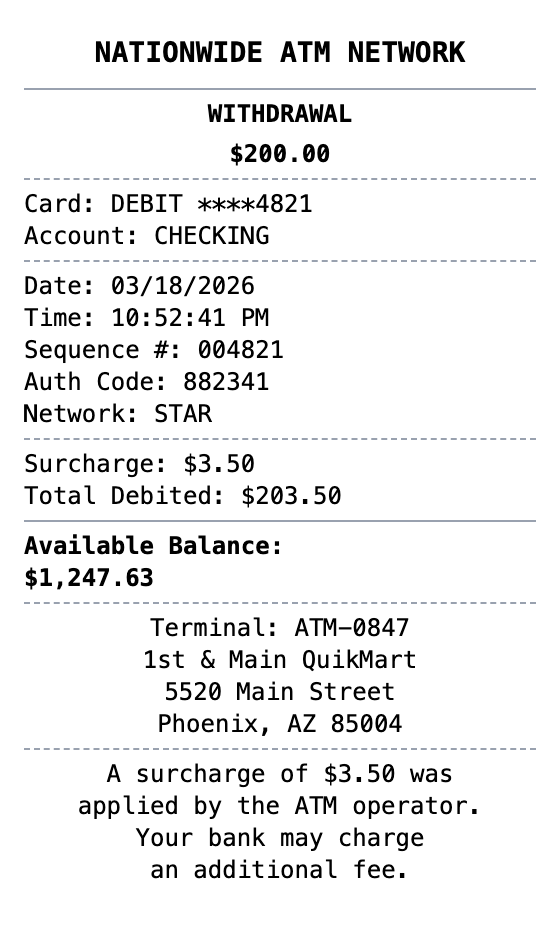
Make a ATM Receipt That Looks the Part
Fonts, spacing, and layout are modeled on the real thing, so your export holds up.
Account Balance
Shows available balance after withdrawal.
Surcharge Details
ATM operator surcharge fee clearly displayed.
Terminal Information
Terminal ID, location, and network details.
Card & Auth Details
Masked card number, sequence, and authorization code.
Realistic Thermal Format
Authentic ATM receipt appearance and layout.
Multiple Export Formats
Download as PNG, PDF, or JPEG.
Making Your ATM Receipt, Step by Step
Pick, edit, download. That's the entire workflow.
Step 1:
Pick your template
Step 2:
Fill in the details
Step 3:
Export your receipt
Common Uses for a ATM Receipt
A few of the ways people put this template to work
Expense Reports
Document business expenses for company reimbursement
Tax Documentation
Keep organized records for tax filing and deductions
Client Invoicing
Create professional receipts for client billing
Proof of Purchase
Generate records for warranties and returns
Budget Tracking
Monitor spending with organized receipt records
Reimbursements
Submit clear expense documentation for refunds
ATM Receipt FAQs
Everything else you might want to know
Is MakeMyReceipt free to use?
Yes. You can build and customize receipts for free with no sign-up required. Watermark-free exports and saved receipts are available with Pro.
What file formats can I export?
You can export your receipts as PNG (high-quality images), PDF (print-ready documents), or JPEG (compressed images for smaller file sizes).
Related Receipt Templates
Bank Deposit Receipt
Generate a bank deposit receipt with account details, deposit breakdown, check listing, and updated balance.
Cash Receipt
Simple cash payment receipt
Credit Card Receipt
Credit card transaction slip with card details, authorization code, tip line, and signature. Standard merchant copy format.
P2P Payment Receipt
Peer-to-peer payment receipt with sender, recipient, transaction ID, and payment note.
Payment Receipt
General payment confirmation receipt with payer/payee details, amount, reference number, and payment method.