
Grocery Receipt Generator
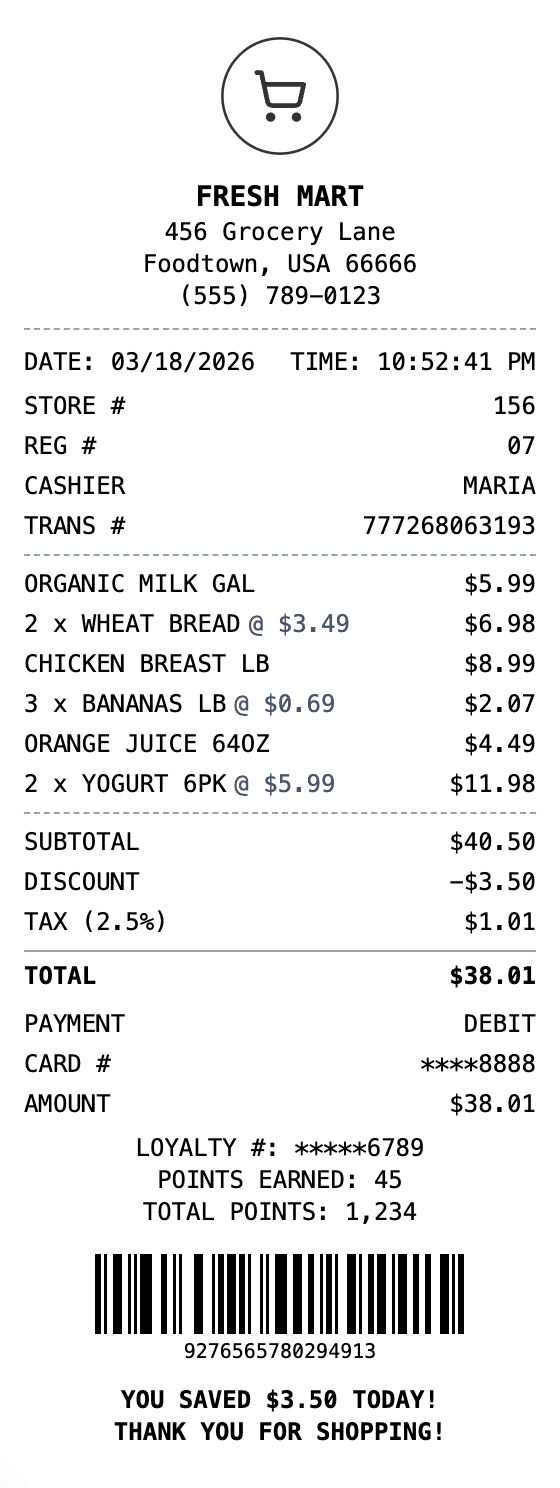
Generate professional grocery store receipts with items, prices, savings, and loyalty points. Perfect for supermarkets and food retailers.
Start Your Grocery Receipt
The Quick Way to Build a Grocery Receipt
Start from a ready-made layout, edit every field, and export in seconds.
Drag & Drop Builder
Arrange grocery items, prices, savings, and loyalty points just like supermarket register tapes.
Real-time Preview
Watch your grocery receipt update as you add products, apply discounts, and tally savings.
Multiple Export Formats
Download as PDF for budgeting, PNG for meal planning apps, or JPEG for quick records.
Custom Styling
Include store name, cashier info, and format it like receipts from your local supermarket.
Barcode & QR Support
Add receipt barcodes or QR codes for digital coupons and loyalty program tracking.
Paper Styles
Choose thermal paper for authentic grocery store style or white for cleaner records.
How to Generate Your Grocery Receipt
Three simple steps to generate professional receipts
Step 1:
Open the template
Step 2:
Edit every field
Step 3:
Download your file
When You Might Need One
From bookkeeping to mockups, it covers a lot of ground
Budget Tracking
Monitor weekly and monthly grocery spending against your food budget
Price Verification
Document purchase prices for price matching or verifying sale discounts
Returns & Exchanges
Keep receipts for returning or exchanging grocery items
Business Food Expenses
Document office kitchen supplies and business meal grocery purchases
Meal Planning Records
Track ingredient costs for meal prep budgeting and planning
Store Operations
Generate receipts when your store register tape runs out or POS is offline
Questions People Ask
Quick answers about this template
Are groceries taxed on the receipt?
In most US states, unprepared food and groceries are exempt from sales tax. Tax is typically only applied to non-food items (cleaning supplies, paper products, etc.). Our template lets you set the appropriate tax rate.
How do I show loyalty savings on the receipt?
Use the discount field in the totals section for savings amount, and add a custom message section to display loyalty card number, points earned, and total points balance.
Can I make long receipts with many items?
Yes, you can add as many line items as you need. The receipt preview and export will accommodate the full length, just like real supermarket register tapes.
What exactly is a grocery receipt?
A grocery receipt is a detailed register tape from a supermarket, grocery store, or food market listing every item purchased. It typically includes product descriptions (sometimes with department codes like produce, dairy, or frozen), quantities, individual prices, any savings from coupons or loyalty programs, subtotal, applicable sales tax on non-food items, total amount, and payment method. Many also show loyalty points earned and total savings.
Why would you recreate a grocery receipt?
Grocery receipts serve many practical purposes beyond simple proof of purchase. They are essential for budget tracking and meal planning, returning or exchanging products, verifying that sale prices and coupons were applied correctly, and documenting food purchases for business meal deductions. Families use them to monitor weekly food spending, and businesses need them for office kitchen supply documentation.
What are the key fields on a grocery receipt?
Store name, location, and cashier/register info • Itemized products with quantities and prices • Savings from coupons, loyalty discounts, or sale prices • Tax-exempt items marked (food vs. non-food) • Subtotal, tax on non-food items, and total • Payment method and loyalty points earned
Tips for creating your grocery receipt
Use the discount field in totals to show coupon or loyalty savings • Add a custom message section for loyalty points earned and total points balance • Note that most groceries (food items) are tax-exempt -- only apply tax to non-food items • Include department codes next to items for a realistic supermarket receipt format
Is MakeMyReceipt free to use?
Yes. You can build and customize receipts for free with no sign-up required. Watermark-free exports and saved receipts are available with Pro.
What file formats can I export?
You can export your receipts as PNG (high-quality images), PDF (print-ready documents), or JPEG (compressed images for smaller file sizes).
You Might Also Need

Safeway Receipt
Grocery store receipt matching Safeway supermarket receipts with member savings, loyalty points, and category-organized items.

Vons Receipt
Grocery store receipt with items, savings, and rewards

Albertsons Receipt
Supermarket receipt with groceries, savings, and rewards

Publix Receipt
Grocery store receipt matching Publix supermarket receipts with PRESTO! debit card details, You Saved lines, Promotion discounts, and detailed savings summary.

Costco Receipt
Warehouse club receipt with member ID and bulk items