
7 Best Receipt Makers in 2026: Honest Comparison
We tested the top receipt makers and generators for 2026. Compare features, pricing, and limitations of MakeMyReceipt, Zoho, Wave, and more.
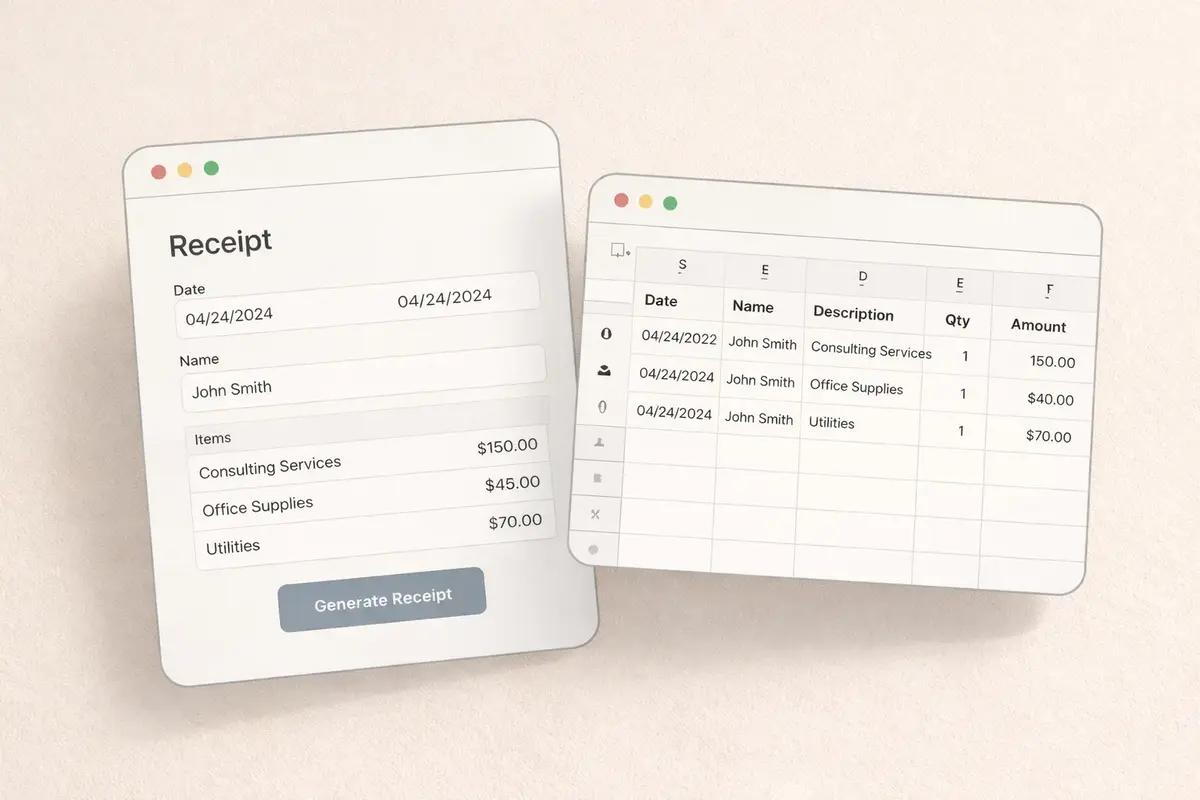
Want to skip straight to making a receipt? That is exactly what MakeMyReceipt is for. Try the free builder →
We build MakeMyReceipt, a dedicated receipt builder, and in the process of building it we have tested basically every receipt maker, bill generator, and invoice tool on the market. We have also watched thousands of people use ours, so we have a good sense of where receipt tools disappoint people and why so many users bounce from tool to tool before finding one that fits.
The short version: most "receipt maker" frustration comes from picking a tool that was built for a different job than the one you have. So instead of just listing tools, this comparison starts with the four factors that actually determine whether a receipt maker will work for you. Then we show how our own tool handles each factor, and then we cover six other popular options so you can weigh them yourself.
Below, we cover:
- 4 factors to consider when choosing a receipt maker
- How MakeMyReceipt handles each of these factors
- A quick comparison table
- 6 other receipt makers worth considering
- Which tool fits which use case
4 Factors to Consider When Choosing a Receipt Maker
Factor #1: What kind of receipt do you actually need, a point-of-sale receipt or a business document?
This is the single biggest factor, and most people do not realize it is a choice until they have already wasted time in the wrong tool.
There are really two different products hiding under the name "receipt maker":
- Point-of-sale style receipts. The narrow thermal-paper receipts you get at a register: monospaced fonts, itemized lines, barcodes, store header, the works. This is what you need for design mockups, film and stage props, replacing a faded or lost receipt, or any situation where the output needs to look like it came from an actual store.
- Invoice-style business receipts. Letter-sized documents with your logo, client details, and payment terms. This is what a freelancer sends a client after getting paid.
Most tools that rank for "receipt maker" (Zoho, Wave, Invoice Simple) are invoicing platforms that added a receipt feature. They only produce the second kind. No matter how many settings you change, the output will look like a business document, because that is what the tool is.
So before comparing anything else, ask: does this tool produce the kind of receipt I need? If you need a register-style receipt, an invoicing tool structurally cannot get you there.
Factor #2: Does the math calculate itself, and can you trust it?
A receipt is mostly numbers: quantities, line totals, subtotal, tax, total. A good receipt maker computes all of that automatically. Change a quantity and everything downstream updates.
The tools split into three groups here:
- Auto-calculated: you enter items and prices, the tool does the math. This is the standard for dedicated receipt builders and invoicing tools.
- Manual: design tools like Canva make you type every number yourself. One edit means recomputing the subtotal, tax, and total by hand, and one typo means an inconsistent receipt.
- Unreliable: AI image generators like ChatGPT produce receipts where the numbers frequently do not add up at all. More on that below.
The quick test: add three items, then change one quantity. If the total does not update itself, every future edit is a chance to introduce an error.
Factor #3: How much control do you get over the layout?
Receipt tools sit on a spectrum of control:
- Rigid forms: fill in fields, get a fixed layout. Fast, but if the layout is not what you want, you are stuck.
- Template pickers: choose from preset styles, customize a logo and colors. Better, but you still cannot restructure anything.
- Section-level editing: add, remove, and reorder the actual building blocks of the receipt (header, items, totals, payment info, barcode, custom messages).
Templates matter, but the real question is what happens when a template is 90% right. Can you delete the section you do not need, add one the template did not include, and move things around? If not, "50+ templates" just means 50 layouts you cannot change.
Questions worth asking of any tool: Can I reorder sections? Can I add a barcode or QR code? Can I change fonts and paper style? Or am I just filling in someone else's form?
Factor #4: What does a clean export actually cost, and in what formats?
"Free receipt maker" can mean a lot of things. The honest way to compare pricing is to ask what it costs to get a clean, usable file in the format you need. Look for:
- Watermarks: many free tiers (ours included) watermark exports. Check what removal costs before you invest time building your receipt.
- Formats: some tools only export JPG, some only PDF. If you need a PNG for a mockup and a PDF for records, a single-format tool means workarounds.
- Pricing model: one-time template purchases, weekly passes, and monthly subscriptions all exist in this market. Match the model to how often you actually make receipts.
- Account walls: some tools demand a signup before you can even try the editor.
With those four factors laid out, here is how the seven tools compare, starting with ours.
MakeMyReceipt
Best for: Anyone who needs realistic, customizable point-of-sale receipts with full control over layout and styling.
MakeMyReceipt is a dedicated receipt builder, so it is easiest to explain by walking through how it handles each of the four factors.
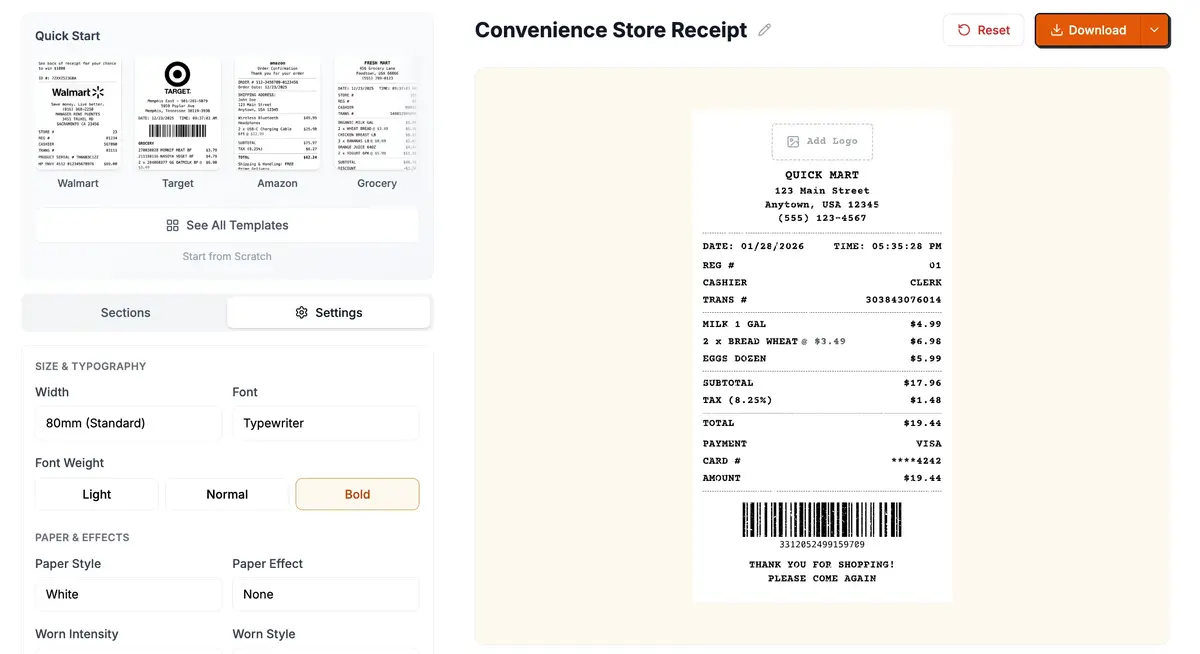
#1: Built for point-of-sale style receipts
This is the kind of receipt MakeMyReceipt is designed around: narrow thermal-paper receipts with authentic register fonts, realistic paper textures, and store-style layouts. There are 194+ templates covering retail, restaurants, grocery, pharmacies, gas stations, hotels, auto services, and more, and every one of them looks like it came out of a printer at the counter, not out of an accounting suite.
If you need an invoice-style document instead, this is the wrong tool, and one of the invoicing platforms below will serve you better.
#2: Everything is auto-calculated
You enter items, quantities, and prices. Line totals, subtotal, tax, and total all compute automatically and update live in the preview as you edit. Tax rates are configurable, discounts are supported, and you never do arithmetic by hand. Change a quantity and the whole receipt stays consistent.
#3: Section-level drag-and-drop editing
Instead of filling out a rigid form, you build the receipt from modular sections: header, date and time, itemized list, totals, payment details, transaction info, barcodes (Code128 and QR), custom messages, and dividers. Add the ones you need, delete the ones you do not, and drag them into any order. Start from a template and restructure it, or build from a blank receipt. Fonts, paper width, paper style, and currency are all adjustable.
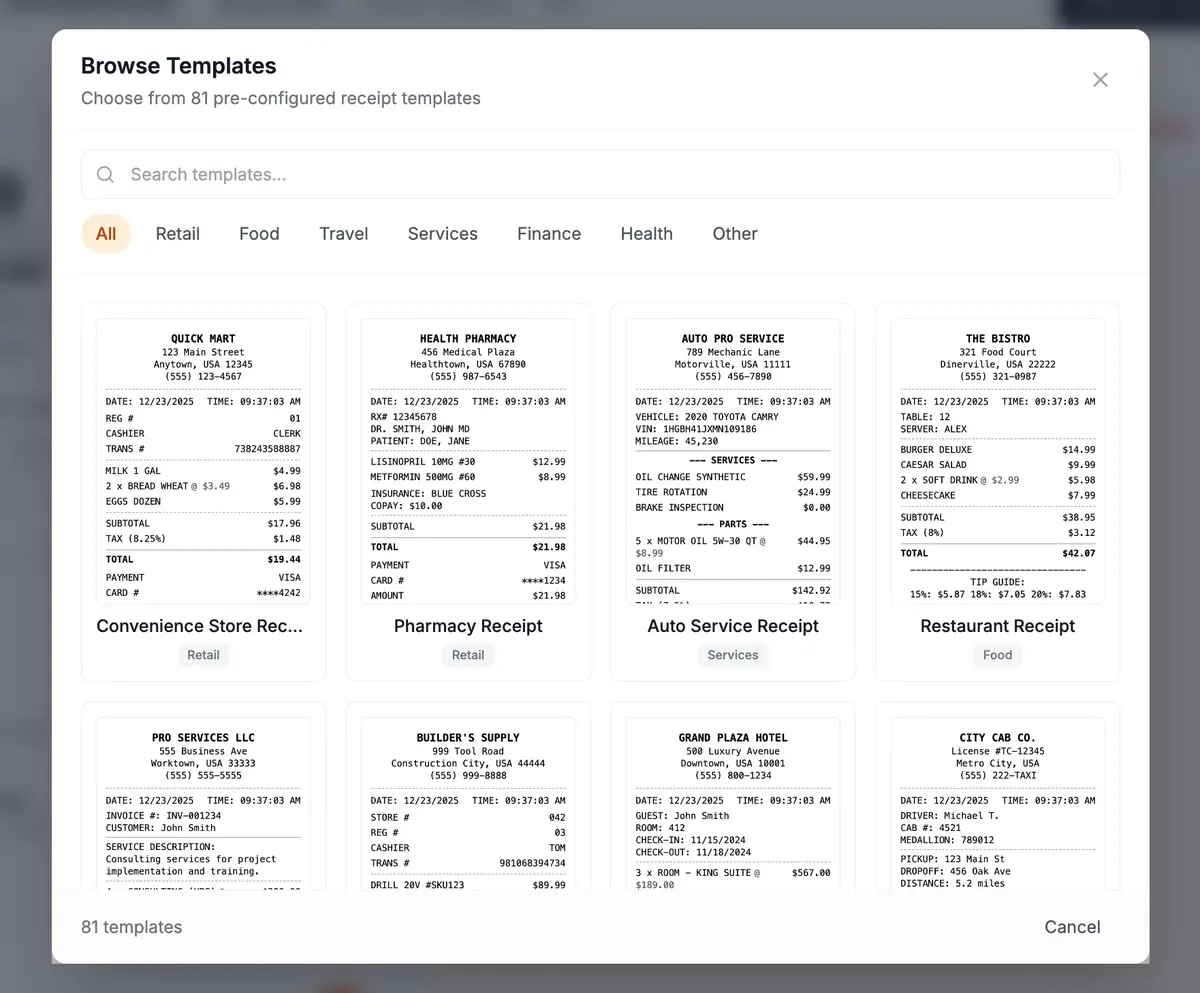
#4: Free to build, affordable to export clean
The builder, all 194+ templates, and the full editor are free with no account required. Free exports (PNG, PDF, or JPEG) include a small watermark. Going Pro removes the watermark, bumps exports to HD quality, and lets you save receipts to reuse later. Pro is $4.50 for a week or $9.00 per month, so if you just need a few clean receipts this week, you are not locked into an ongoing subscription.
We think that is the fairest model in this market: you can build your entire receipt and see exactly what you are getting before paying anything.
Quick Comparison Table
Here is how all seven tools stack up against the four factors:
| Tool | Receipt Style | Auto Math | Layout Control | Clean Export Cost | Formats |
|---|---|---|---|---|---|
| MakeMyReceipt | Point-of-sale | Yes | Full (drag & drop sections) | $4.50/week or $9/mo | PNG, PDF, JPEG |
| Zoho Invoice | Invoice-style | Yes | Template + logo | Free | |
| Wave | Invoice-style | Yes | One style, logo only | Free (US only) | |
| ExpressExpense | Point-of-sale | Yes | Form-based, no restructuring | $9.99 to $15.99 | JPG only |
| Invoice Simple | Invoice-style | Yes | Template + logo | Free (basic) | |
| ChatGPT / AI | Varies, inconsistent | No (frequent errors) | Prompt-based only | $20/mo subscription | Image only |
| Canva | Whatever you design | No (fully manual) | Full design freedom | Free tier limited | PNG, PDF |
Zoho Invoice
Best for: Small businesses already using Zoho's ecosystem who need basic receipts alongside invoicing.
Zoho Invoice is primarily an invoicing platform, but it includes a free receipt generator. The receipt tool is straightforward: fill in your business info, add line items, and download a PDF.
What stands out
- Completely free with no watermarks
- Part of Zoho's ecosystem (connects to Zoho Books, CRM, and other tools)
- Multi-currency support for international businesses
- Professional templates with clean design
- Online payment integration built in
Pricing
Free. Zoho Invoice is free for small businesses, including the receipt generator.
Limitations
The receipt generator is basic compared to dedicated receipt tools. Limited template options, no thermal paper styling, and receipts look more like invoices than actual store receipts. You cannot customize the layout beyond choosing a template and adding your logo.
Against the four factors: strong on price and auto math, but it fails Factor #1 if you need a register-style receipt, and layout control is minimal.
Wave
Best for: US-based small businesses that want a simple, free receipt alongside accounting software.
Wave offers a free receipt maker as part of its suite of small business financial tools. It guides you through a step-by-step process to generate a receipt with your business details, items, and tax information.
What stands out
- Completely free with no watermarks
- Connects to Wave's accounting software for bookkeeping
- Step-by-step guided process makes it simple
- Automatic tax calculations
Pricing
Free. Wave's receipt maker is part of their free accounting platform.
Limitations
US residents only. Very limited customization, with essentially one receipt style. Receipts look like formal business documents rather than point-of-sale receipts. No template variety and no drag-and-drop editing.
Against the four factors: free and mathematically sound, but one invoice-style layout with almost no control. Fine for records, wrong tool for a realistic store receipt.
ExpressExpense
Best for: Users who need a quick receipt with a familiar retail-style look.
ExpressExpense is one of the older receipt generators on the market. It offers various receipt templates that mimic different receipt styles, and you fill in the details through a form.
What stands out
- 50+ templates with different receipt styles
- High-quality fonts that replicate common receipt typefaces
- Fast generation with results in under a second
- Multiple receipt types: sales, restaurant, taxi, hotel, and more
- Mobile app available on iOS
Pricing
Free templates with watermarks. Standard membership is $9.99 for 20 templates. Pro membership is $15.99 for all templates. Prices may vary with promotions.
Limitations
Form-based input only (no visual editor or drag-and-drop). Limited customization within each template. The free tier watermarks exports. No PDF export. Receipts export as JPG images only.
Against the four factors: one of the few tools besides ours that passes Factor #1 with genuine point-of-sale styling. Where it falls short is Factor #3 (you fill a form, you cannot restructure the layout) and Factor #4 (JPG only, no PDF).
Invoice Simple
Best for: Freelancers and service businesses who need professional receipts that match their invoices.
Invoice Simple offers a receipt maker alongside their popular invoice generator. Receipts are clean and professional, with a focus on business-to-client transactions.
What stands out
- Clean, professional design suitable for client-facing receipts
- Saves client and item info for faster receipt creation next time
- Receipt-to-invoice conversion lets you turn any receipt into an invoice
- Read notifications tell you when clients view the receipt
- Mobile and desktop compatible
Pricing
Free to create and download basic receipts. Premium features require a subscription.
Limitations
Receipts look like invoices, not point-of-sale receipts. Limited template variety. Not designed for retail-style, thermal, or restaurant receipts. Better suited for service businesses than retail scenarios.
Against the four factors: a good invoice-style option for client work, but like Zoho and Wave it cannot produce a register-style receipt, and layout control stops at logos and colors.
ChatGPT and AI Image Generators
Best for: Joke receipts, casual mockups, or one-off images where accuracy does not matter.
This is the wildcard entry. Since early 2025, AI image generators like ChatGPT have gotten surprisingly good at producing receipt-like images. You describe what you want in plain English, and the AI generates an image that looks like a receipt.
The results can be visually impressive at first glance. But look closer, and problems appear quickly.
What stands out
- Natural language input: describe what you want in plain English
- Visual realism: at a glance, AI-generated receipts can look convincing
- Flexible: can attempt unusual or creative receipt formats
- No learning curve if you already use ChatGPT
Pricing
Requires a ChatGPT Plus or Team subscription ($20/month or more). Free-tier ChatGPT has limited image generation.
Limitations
This is where AI receipt generation falls apart for any serious use:
- Text inconsistencies: AI regularly misspells words, swaps digits, duplicates lines, or adds phantom items that were never in your prompt. You will almost always find something off in the details
- Math errors: AI frequently gets totals, tax, and line items wrong. A receipt showing 3 items at $12.99 might display a subtotal of $41.50 instead of $38.97. You cannot trust the numbers
- Inconsistent formatting: The same prompt produces a different layout every time. There is no way to get a consistent look across multiple receipts
- No editing: If one line item is wrong, you cannot fix it. You have to regenerate the entire image and hope the rest stays correct (it usually does not)
- Single file type: You get an image, and that is it. No PDF, no PNG export options, no choice of format. A dedicated receipt maker like MakeMyReceipt lets you export as PNG, PDF, or JPEG depending on what you need
- No structured data: The output is a flat image with no editable fields, so every change means starting from scratch
- Ethical concerns: Several reports have raised concerns about AI-generated receipts being used for expense fraud
Against the four factors: this is the only tool on the list that outright fails Factor #2. The math is unreliable, the layout changes on every generation, and you cannot edit the result. Fun for a joke receipt, unusable when accuracy matters.
Canva
Best for: Designers who want full creative control and are comfortable with a design tool.
Canva is a general-purpose design platform with receipt templates available. It gives you complete design freedom but requires you to handle all the receipt logic yourself.
What stands out
- Full design control over every element
- Large template library for inspiration
- Brand kit to maintain consistent styling
- Collaboration features for teams
- Exports in multiple formats
Pricing
Free tier with limited templates and features. Canva Pro is $12.99/month for full access.
Limitations
Canva is a design tool, not a receipt tool. There are no automatic calculations, no barcode generation, no tax computation, and no receipt-specific features. You are manually typing every number and doing all the math yourself. This makes it slow and error-prone for anything beyond a simple design mockup.
Against the four factors: unbeatable on raw layout control, but it fails Factor #2 completely (all math is manual), and you are rebuilding receipt structure from scratch that dedicated tools give you out of the box.
Which Receipt Maker Fits Your Use Case?
The four factors weigh differently depending on why you need a receipt.
For small business owners
Factors #2 and #4 dominate: you need accurate calculations, tax handling, and professional formatting at a price that makes sense. Look for tools with automatic subtotal and tax computation, multiple payment method options, and barcode generation. Your receipts need to include the five elements the IRS requires: date, amount, vendor name, description of goods or services, and payment method. If you handle a lot of cash transactions, our guide on how to create a cash receipt is worth a read.
For designers and filmmakers
Factors #1 and #3 dominate: visual accuracy matters more than anything else. You want realistic thermal paper styling, authentic fonts, and the ability to control every detail of the layout. Templates that mimic real receipt styles save time, and section-level editing lets you match a specific look exactly.
For freelancers and consultants
Factor #1 flips here: you probably want the invoice-style document, not the register receipt. Clean, professional receipts that look good when sent to clients, ideally from something that saves your business info so you can create receipts quickly for repeat clients. Not sure whether you need a receipt or an invoice? Our guide on receipt vs invoice differences breaks it down.
For expense reports and reimbursement
Factor #2 is everything: the receipt needs correct math, proper itemization, and all the details your employer or accountant requires. AI-generated receipts are the worst choice here because math errors can cause your expense report to be rejected. If you have already lost a receipt, we have a guide for that too.
The Bottom Line
The best receipt maker depends on which of the four factors matter most for your situation. (And if you're still deciding between a tool, a receipt book, or a Word template, our guide on how to make a receipt compares all three routes.)
If you want full control over a realistic point-of-sale receipt with drag-and-drop editing, automatic calculations, barcodes, and 194+ templates, MakeMyReceipt is built specifically for that. The builder is free to use, and clean exports start at $4.50.
If you need a basic receipt alongside accounting software, Zoho Invoice or Wave are solid free options, but they produce business documents rather than retail-style receipts.
If you want a quick receipt image and do not care about math accuracy, ChatGPT can generate something that looks convincing, but double-check every number.
If you need full design freedom and are comfortable doing all the math yourself, Canva gives you a blank canvas.
For most people creating receipts, a dedicated receipt builder with templates, automatic calculations, and proper formatting will save the most time and produce the most accurate results.
Frequently Asked Questions
What is the best free receipt maker?
For invoice-style business receipts, Zoho Invoice and Wave are genuinely free with no watermarks. For point-of-sale style receipts, MakeMyReceipt gives you the full builder and all 194+ templates free, with a watermark on free exports that Pro removes from $4.50.
Can ChatGPT make receipts?
Yes, ChatGPT can generate images that look like receipts, but the math is frequently wrong, the text often contains errors, and you cannot edit the result without regenerating the whole image. It works for jokes and rough concepts, not for anything where the numbers need to add up.
What is the difference between a receipt maker and an invoice generator?
A receipt maker produces proof that a payment already happened, often styled like a point-of-sale register receipt. An invoice generator produces a request for payment, formatted as a business document with payment terms. Many tools marketed as receipt makers are actually invoice generators with a receipt template. Our receipt vs invoice guide covers the differences in detail.
Do receipt makers calculate tax automatically?
Dedicated receipt builders and invoicing tools do: you set a tax rate and the tool computes tax and totals from your line items. Design tools like Canva do not, and AI image generators frequently get the tax math wrong. If tax accuracy matters, verify the tool recalculates totals when you edit a line item.
Need to create a receipt right now? Open the receipt builder and choose from 194+ templates, or start from scratch with our drag-and-drop editor.
Ready to create your receipt?
Try our free receipt maker with customizable templates.
Open Receipt Builder