
Business Receipt Generator
Create professional business receipts with your company branding, itemized charges, and payment details. Perfect for small businesses and freelancers.
Create Your Business Receipt
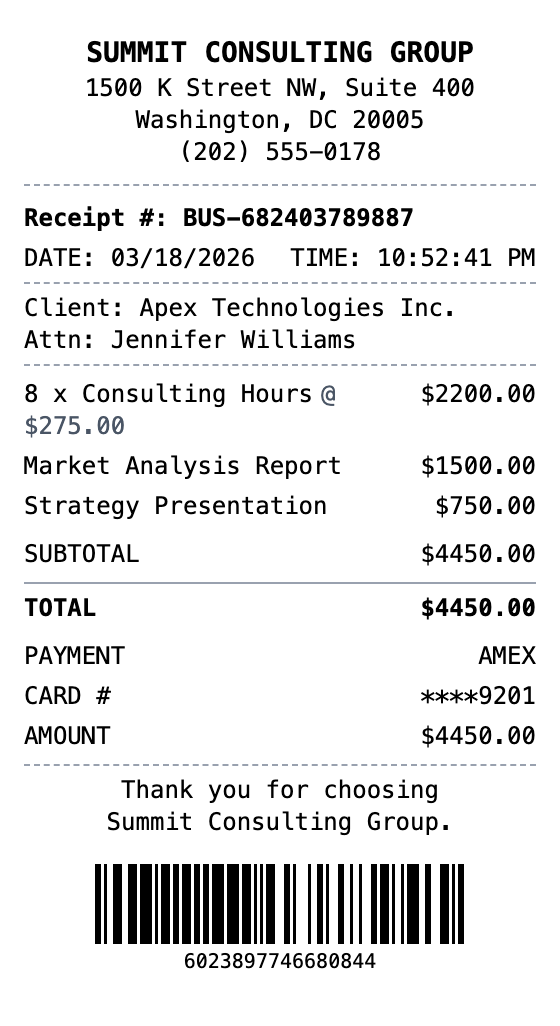
The Quick Way to Build a Business Receipt
Pick a template, make it your own, and download a business receipt that looks the part. No design skills needed.
Professional Format
Business receipt with company branding, client details, and receipt number.
Itemized Services
Detailed line items for consulting hours, reports, and deliverables.
Client Information
Client company name and attention line for professional billing.
Auto Calculations
Automatic subtotal and total with optional tax.
Payment Details
Card type and last four digits for transaction records.
Multiple Export Formats
Download as PNG, PDF, or JPEG.
How to Make a Business Receipt
The whole process takes about a minute
Step 1:
Start from this template
Step 2:
Make it yours
Step 3:
Save and download
Where a Business Receipt Comes in Handy
Real situations where this template gets used
Expense Reports
Document business expenses for company reimbursement
Tax Documentation
Keep organized records for tax filing and deductions
Client Invoicing
Create professional receipts for client billing
Proof of Purchase
Generate records for warranties and returns
Budget Tracking
Monitor spending with organized receipt records
Reimbursements
Submit clear expense documentation for refunds
Common Questions, Answered
The details people usually ask about
Is MakeMyReceipt free to use?
Yes. You can build and customize receipts for free with no sign-up required. Watermark-free exports and saved receipts are available with Pro.
What file formats can I export?
You can export your receipts as PNG (high-quality images), PDF (print-ready documents), or JPEG (compressed images for smaller file sizes).
Similar Receipt Templates
Invoice Receipt
Invoice-style receipt with itemized services, payment terms, and professional billing format.
Freelancer Receipt
Freelance work and independent contractor receipt
Payment Receipt
General payment confirmation receipt with payer/payee details, amount, reference number, and payment method.
Expense Receipt
Business expense receipt for reimbursement
Accounting Receipt
Create a professional accounting services receipt with service descriptions, hourly rates, and engagement details.